The podcast app
Hear something
worth keeping.
Play your favorite shows. When something catches your attention, save that moment with a note.
Available for iPhone and Android
Your next listen,
lined up.
Follow your shows and build a queue. Pick up the episode you left unfinished.
And when a moment stays with you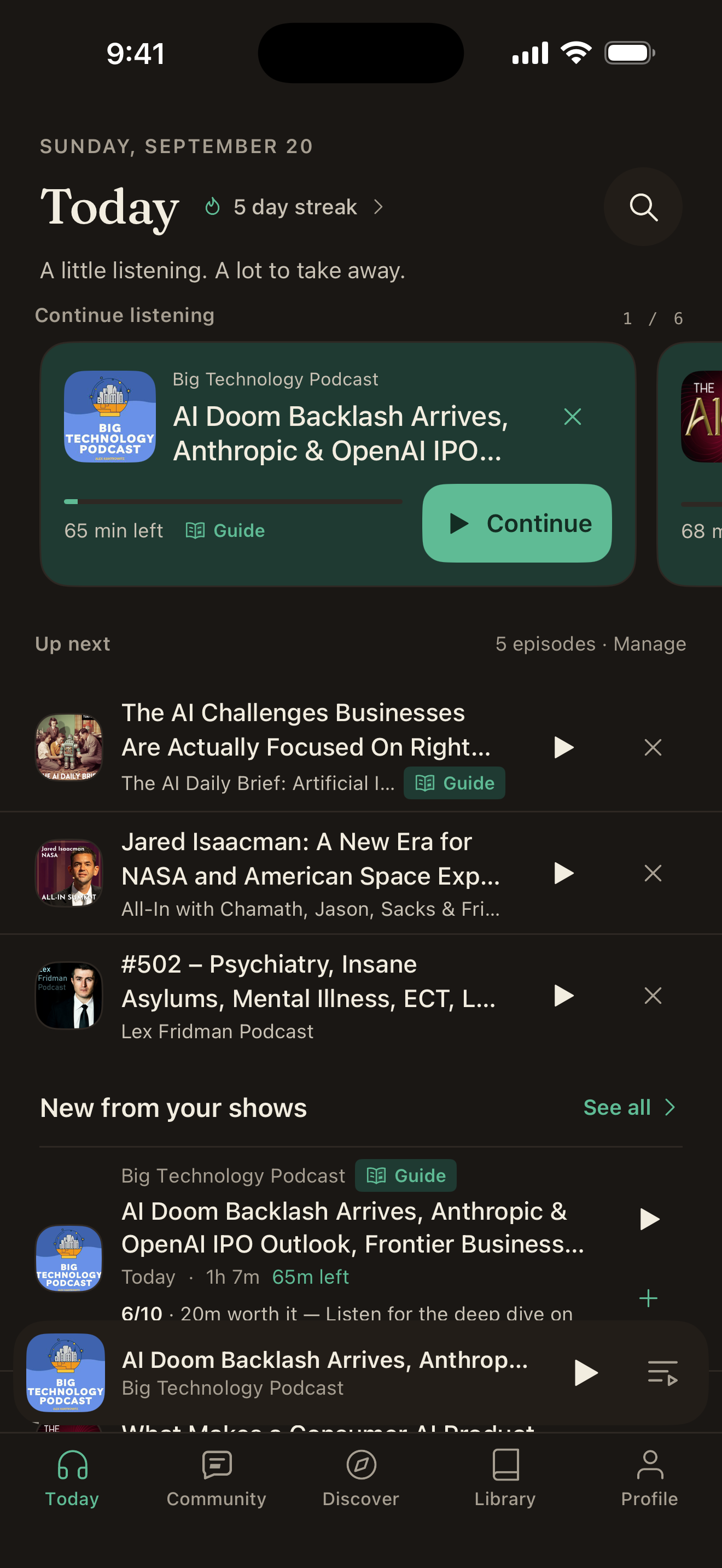
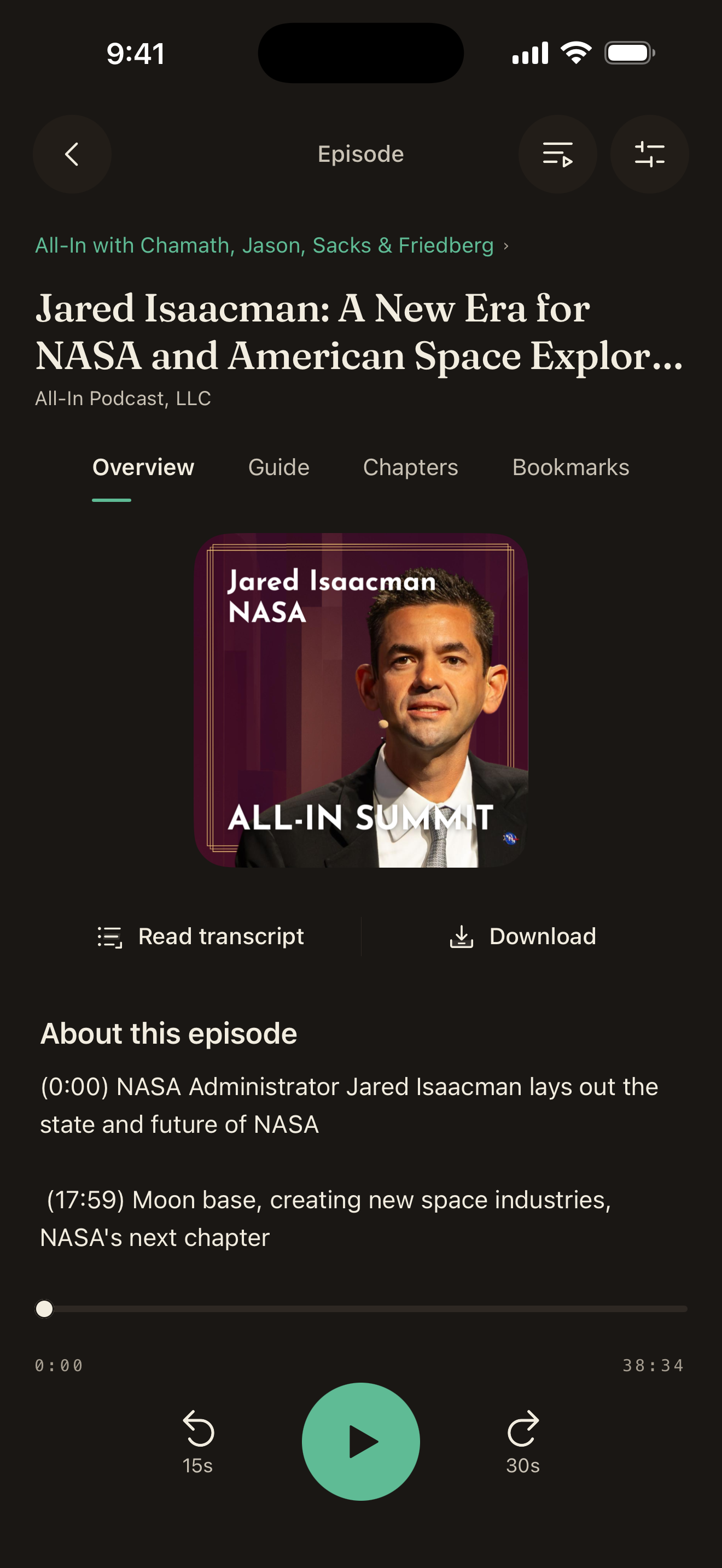
A podcast player.
With room for
your perspective.
- Listen offline
- Set your playback speed
- Use a sleep timer
- Import your shows with OPML
Something worth saving
Keep the moment.
Add your thoughts.
You heard something you agree with. Or something you want to question. Put your note beside the part you mean.
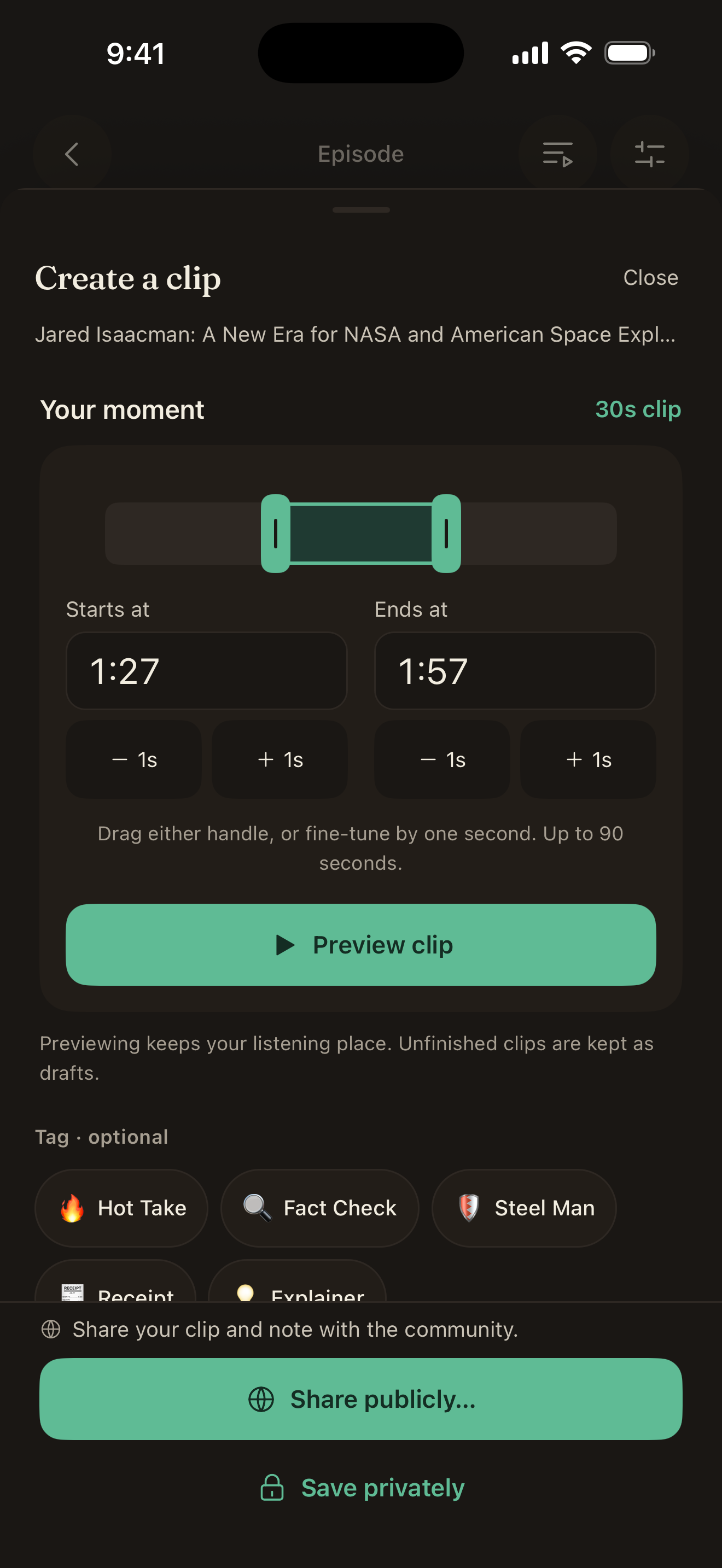
Choose the exact part.
Select up to 90 seconds. Adjust either end and listen back before saving.
Add your own words.
Write what you think about the moment. An optional category can describe your comment.
You choose who sees it.
Save a private bookmark for yourself. Or sign in and choose to share a clip and comment publicly.
Stay with the conversation
Find the part
you want to hear.
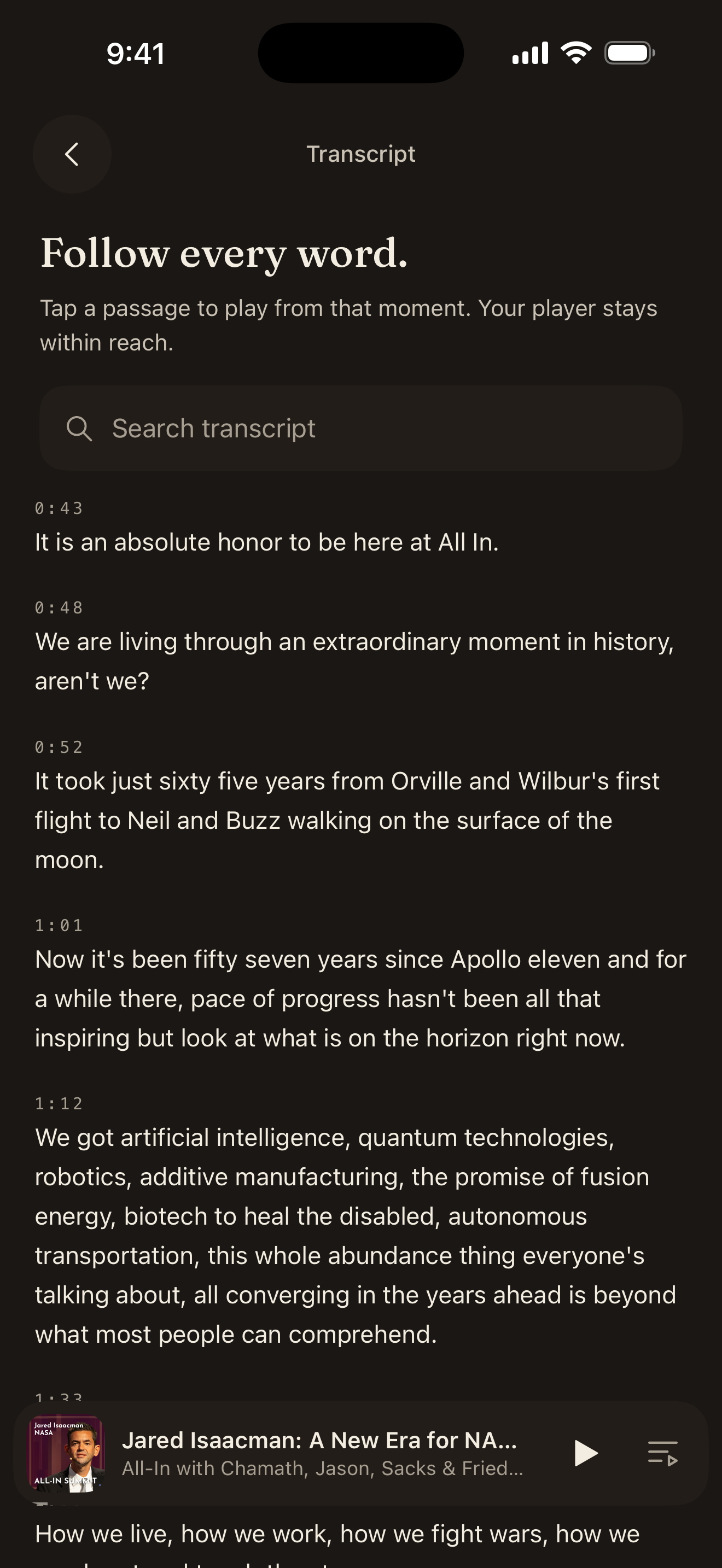
Read along, search for a phrase, or get a guide to a long episode. The original audio is still there when you want the full context.
Find the words you remember.
Search an available transcript, then tap a passage to play from that point in the episode. You can keep reading with the player within reach.
Transcripts depend on the episode and source. Some publishers do not make them available.
Skip detected ad breaks.
Manage ad skipping in Settings → Listening intelligence. Detection may miss a break or its boundaries.
Can I listen without an account?
Yes. Browse and listen as a guest. Sign in for account features such as syncing and public sharing.
Can I keep my notes private?
Yes. Save a private bookmark on your device, or sign in to keep it synced across your devices. Public sharing is a separate choice.
Can I bring my podcast subscriptions?
Yes. Import an OPML subscription file from your current podcast app. You can also search for shows or add them with an RSS feed link.
Do all episodes have transcripts and guides?
Availability depends on the episode, publisher, and processing. Sign in and enable automatic guides in a podcast’s settings to prepare guides for new episodes. AI summaries, chapter labels, and ad detection can contain mistakes.
Is Annotated available for iPhone?
Yes. Download Annotated from the App Store for iPhone or Google Play for Android. The screenshots on this page show the iPhone app; the Android interface may differ.
Do I need the Chrome extension?
The podcast app has its own player and library. Use the Chrome extension on your computer to annotate text, audio, and video while you browse.
Where can I manage or delete my account?
Visit account deletion, read our privacy policy, or contact support.
Who makes Annotated?
ByteTalk.ai, a service of 1F2T LLC, builds Annotated. Read about the project.
Annotated for your phone
Take your podcasts
with you.
Available for iPhone and Android
Annotating on your computer?Explore the Chrome extension